How to Connect Your Facebook Page with GrowEasy to Run Ads on Meta Platforms
Last Updated: 13 Nov 2025

Running ads on Meta (Facebook + Instagram) through GrowEasy requires your Facebook Page to be properly linked to a Business Manager account. This ensures that GrowEasy can securely access your business assets and launch campaigns seamlessly.
Don’t worry if you’re unsure about the setup — we’ll walk you through everything.
Why Do You Need a Business Manager?
Meta’s Business Manager is a centralized hub where you manage your Facebook Pages, ad accounts, and permissions.
- If your Page is already connected to a Business Manager, you’re good to go.
- If not, you’ll need to link it before you can give GrowEasy the required permissions.
Case 1: Page Already Linked to Business Manager
If your Facebook Page is already part of a Business Manager account, you’re sorted ✅.
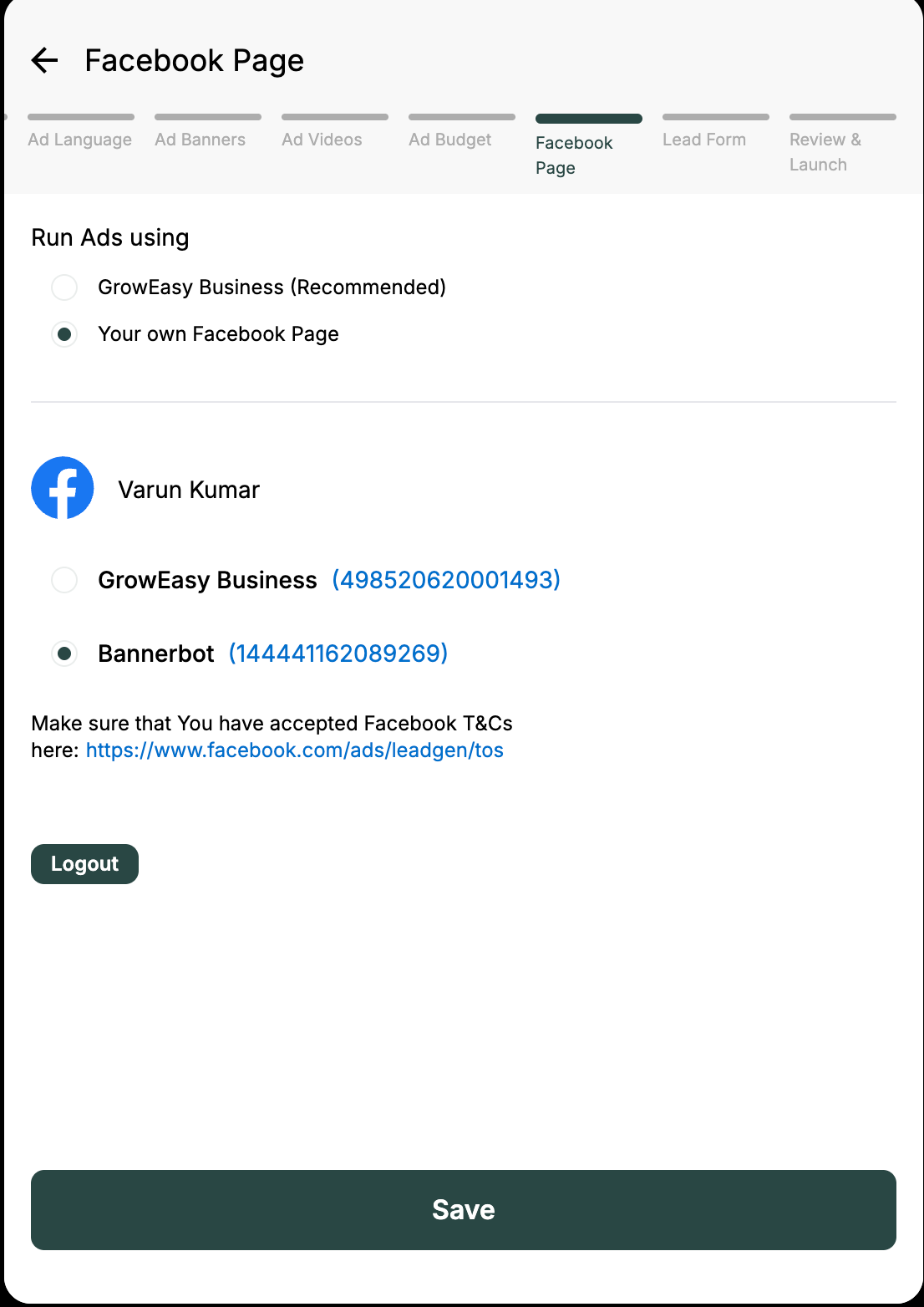
- During GrowEasy’s onboarding campaign flow, simply grant us permission to access both the Business Manager and the Page.
-
That’s it — you can start running ads right away.
Case 2: Page NOT Linked to Business Manager
If your Page is currently owned by your personal Facebook account and not linked to any Business Manager, follow these steps:
Step-by-Step Guide
Step 1: Go to https://business.facebook.com/settings
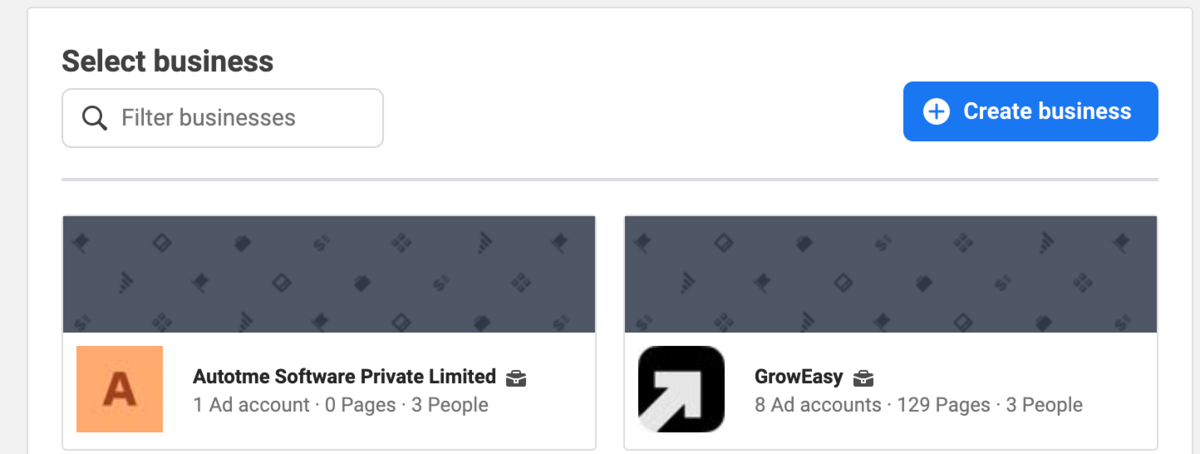
Step 2: Either choose an existing Business or create a new one if you don’t have one yet.
Step 3: In the left sidebar, under Accounts, click Pages.
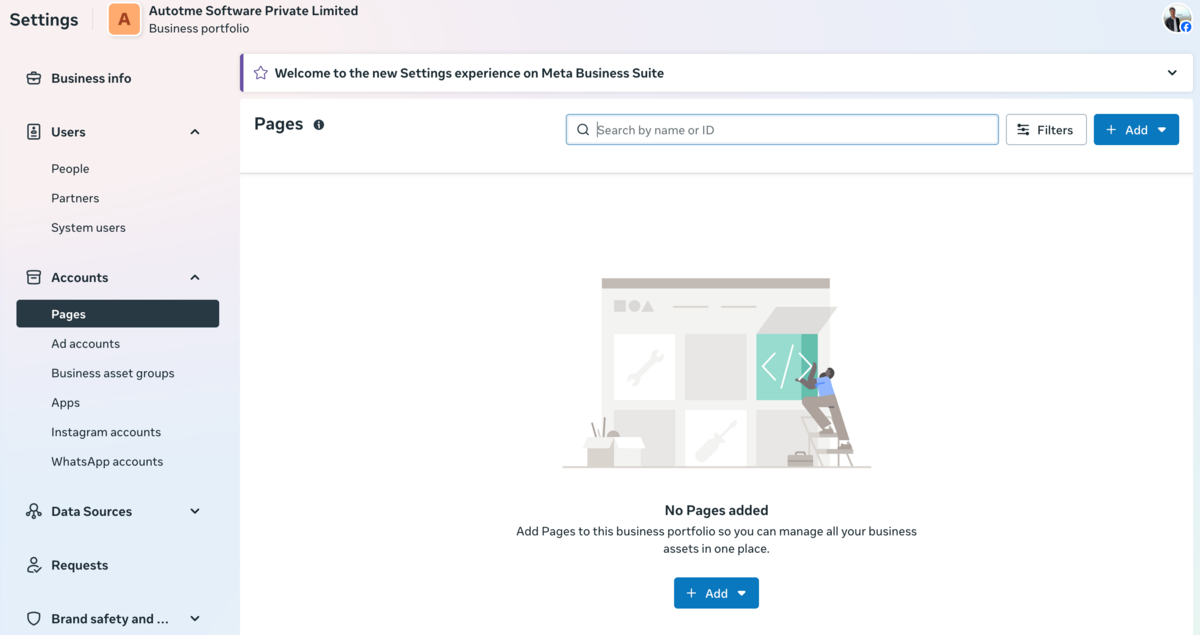
Step 4: Click Add Page.
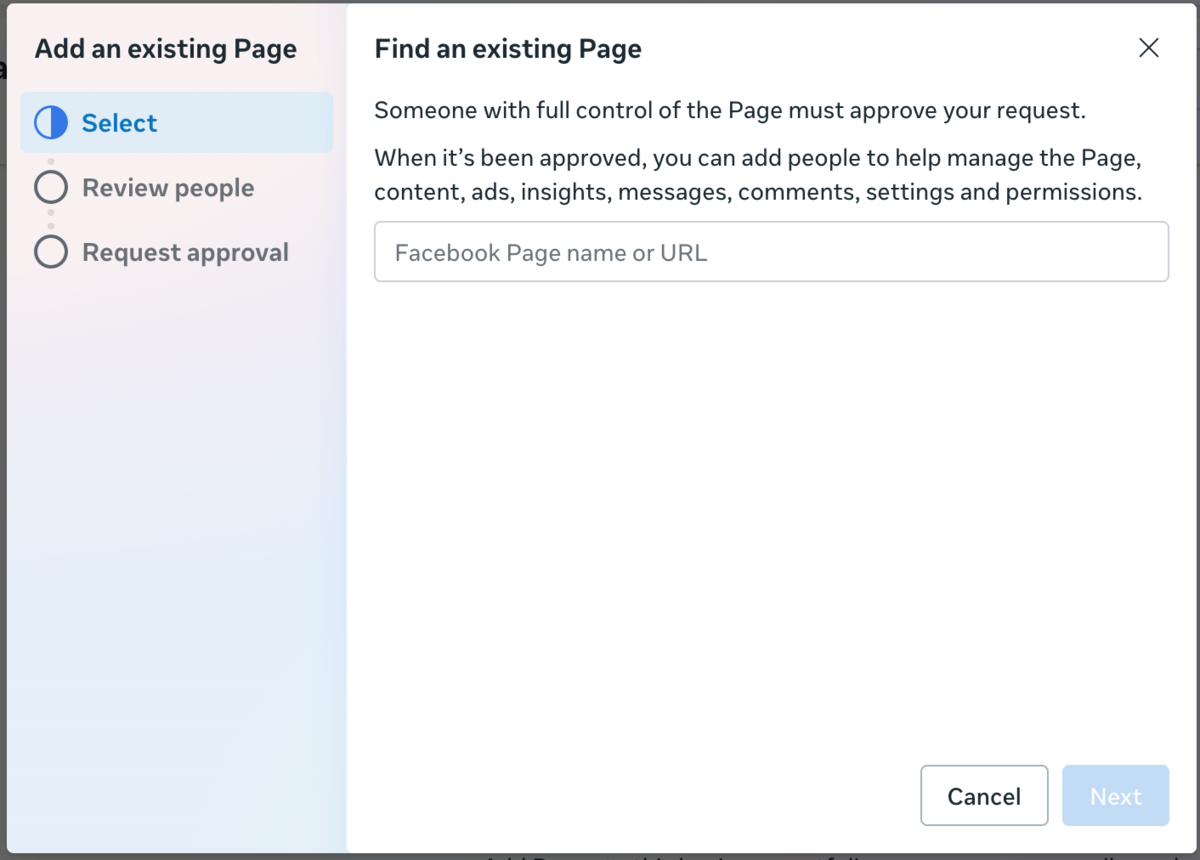
Step 5: Select “Add an Existing Facebook Page.”
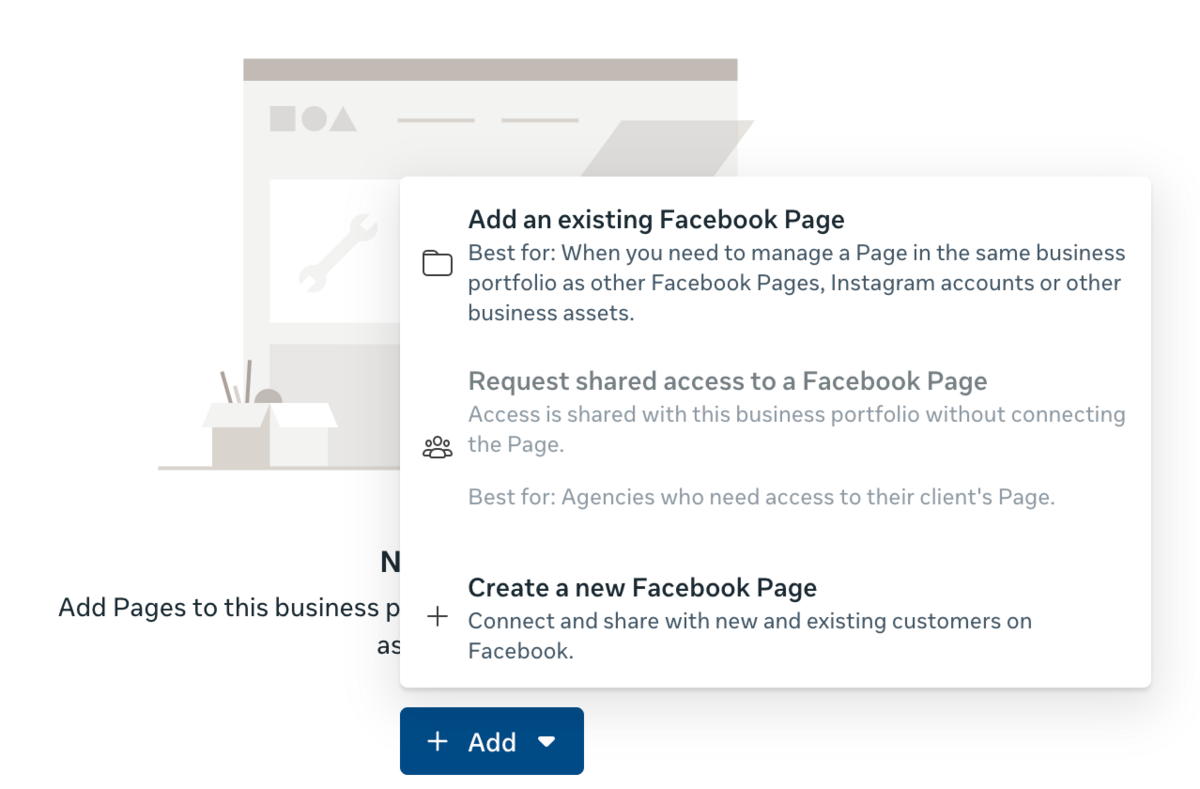
Step 6: Search for your Page by name or paste the Page URL.
Step 7: Click Next.
Step 8: Approve & confirm the addition of the Page.
Final Step: Connect to GrowEasy
Once your Page is linked to Business Manager, head back to your GrowEasy campaign onboarding flow and try to link the Page again. This time, GrowEasy will detect the Business + Page and connect successfully.
🎯 Quick Recap
- Already linked? → Just grant permissions in onboarding.
- Not linked? → Add Page to Business Manager, then reconnect via GrowEasy.
Building in India 🇮🇳

© 2026 AUTOTME SOFTWARE PRIVATE LIMITED. All rights reserved.